

Spending on marketing, but not sure what works?
Tracking & analytics that show what's working & where every client comes from.
We set up GA4, conversion tracking and a reporting dashboard, so every lead and booked call is tied to the ad, page or post that brought it, and you spend on what works.
Your website might be working against you. Take the free website conversion MAGNET Test now.


Featured On




Your marketing data should tell you what works.
01 — Is this you?
- A
You spend on ads every month and can’t say which ones bring clients.
- B
Google Analytics is installed, but you never look at it.
- C
Leads come in, but nobody on your team knows where from.
- D
Every platform says it worked. Your bank account disagrees.
Clicks are not clients. Track the booking.
We connect every form, call and booking to the channel that brought it, so you can see cost per lead and cost per client, cut what doesn’t pay, and put more behind what does.
See what you get02 — What we set up
Everything
a marketing dashboard you can trust needs.
Tracking and analytics
01 — GA4 setup
Google Analytics 4, set up right
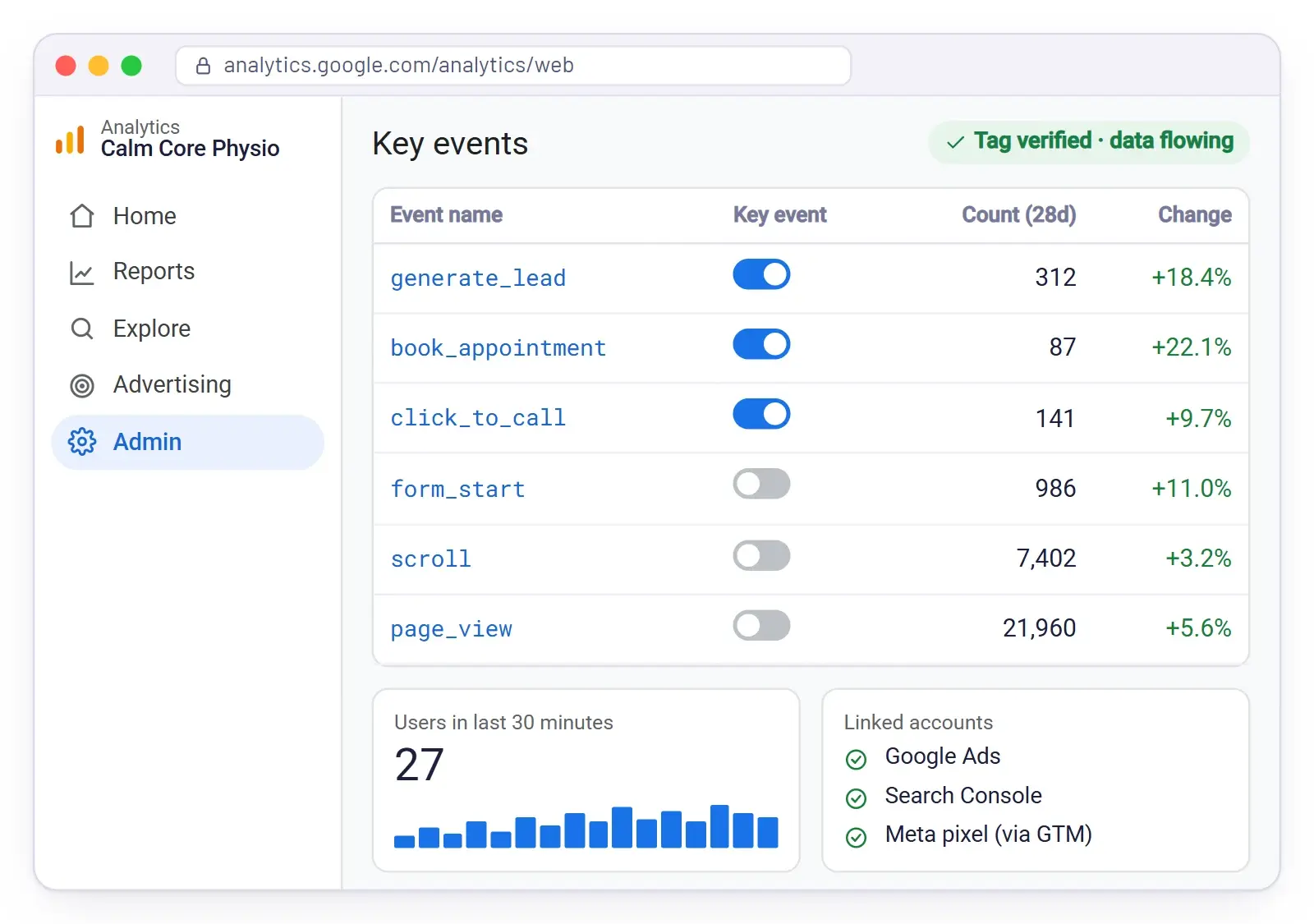
GA4 and Google Tag Manager installed and configured, with the events that matter to you: forms, calls, bookings and sales.
02 — Conversion tracking
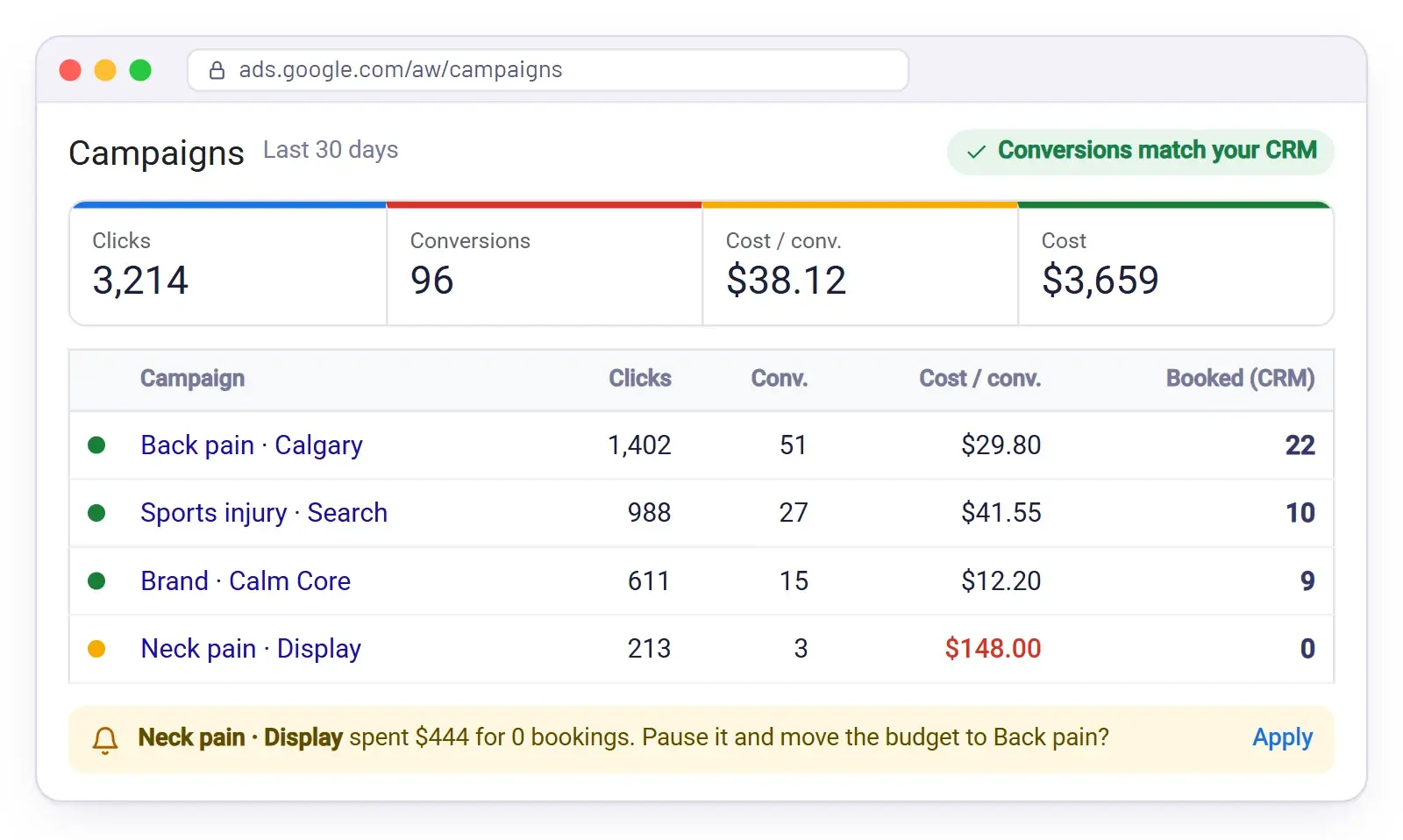
Every ad tied to a lead
Google Ads and Meta conversion tracking, so each platform learns from real leads and you see what each lead and client costs.
03 — Reporting dashboards
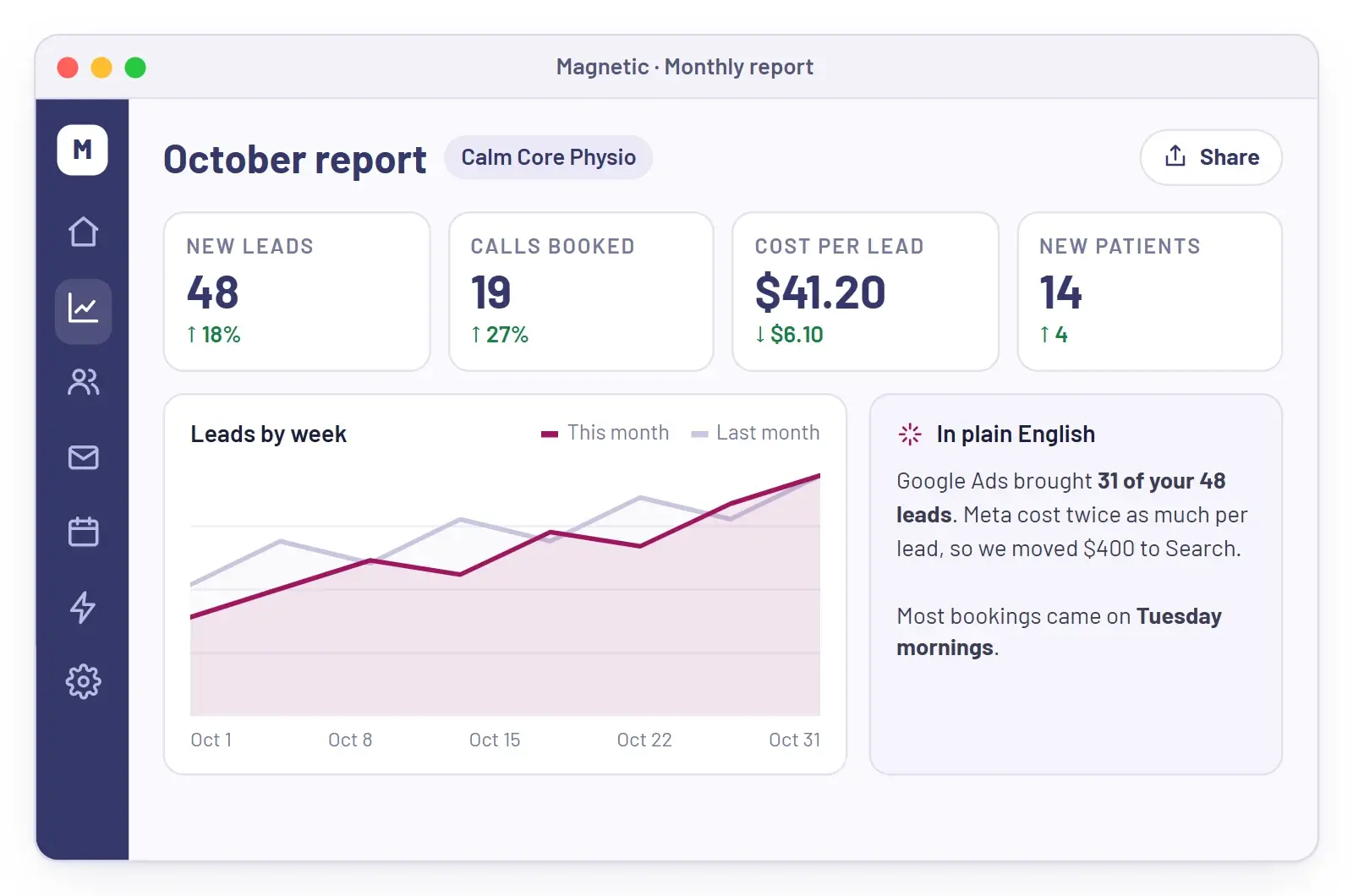
One dashboard, plain English
Leads, booked calls and cost by channel on one screen, so you can see at a glance what is paying and what is not.
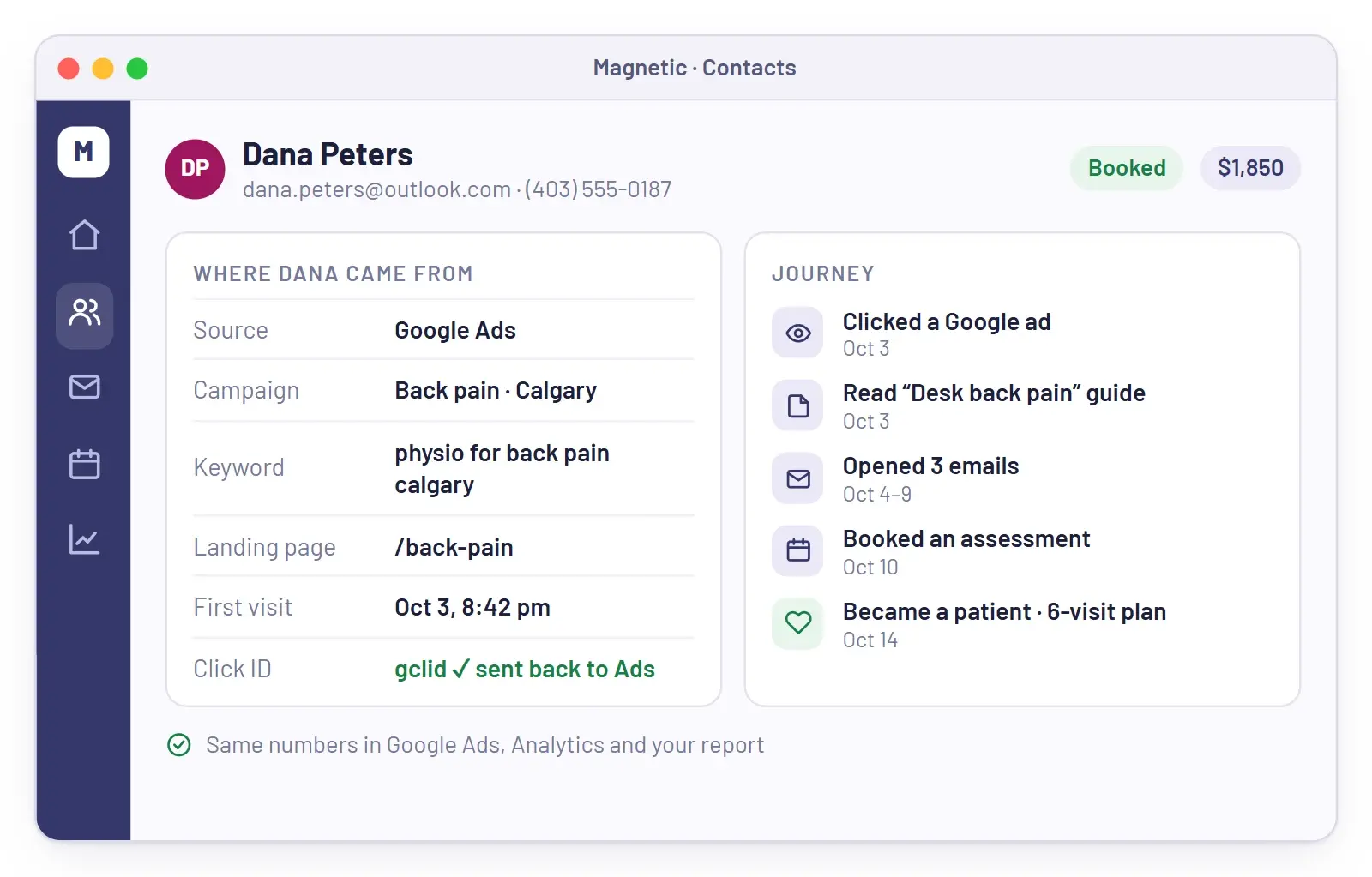
04 — Lead source in your CRM
The same numbers everywhere
Forms, calls and bookings land in your CRM with their source, so follow-up and reporting work from the same numbers.
03 — How we set it up
Measured, tested, then trusted.
Tracking is only useful if it is right, so every event is tested before you rely on it.
Free · No obligation
Audit
What you track today
We check your analytics, ad accounts and forms, and list what is missing, broken or counted twice.
Plan
The numbers that matter
We agree the few events that matter to your business: leads, calls, bookings and sales, and what each is worth.
Set up
GA4, tags and conversions
GA4, Google Tag Manager and Google Ads and Meta conversions, set up in your own accounts.
Test
Every form, call and booking
We submit, call and book like a customer would, and check each one lands in the right place.
Report
One dashboard
Leads, booked calls and cost by channel on one screen you can read in a minute.
04 — Why it matters
Another pretty but pointless An honest dashboard.
Our promise: you will know which channels bring your clients.
Most setups
- Vanity metrics: clicks and likes
- Tracking set up once, then broken
- Every platform claims the credit
- Calls and forms not tracked
- Reports nobody can read
- No link to booked clients
Ours
- Built around leads and booked clients
- Tested on every form, call and booking
- One source of truth across channels
- Calls, forms and bookings tracked
- Dashboards in plain English
- Cost per lead and per client, by channel
What do you set up?
Google Analytics 4, Google Tag Manager, conversion tracking for Google Ads and Meta, form, call and booking tracking, and a reporting dashboard with your leads, booked calls and cost by channel.
I already have Google Analytics. Do I need this?
Most accounts we see are installed but not tracking what matters: forms, calls and bookings. We check what you have, fix what is broken and add what is missing.
Can you track forms, calls and bookings?
Yes. Form submissions, click-to-call taps and bookings are tracked as conversions and tied to the page and channel that brought them.
Will this help my ads?
Yes. When Google and Meta receive real conversions, their bidding learns who becomes a lead, and you can move budget to the campaigns that bring clients.
How do I know the tracking is right?
We test every form, call and booking before we hand it over, and score your site with the MAGNET Test™ before and after.
Is it part of the Magnetic Growth System?
Yes. Heatmaps and conversion monitoring are part of the HyperGrowth System, and reporting and analytics are part of the UltraScale System. You can also have tracking set up on its own.
What does it cost?
Tracking is quoted after a free strategy call, on its own or as part of a system, so you know the full price before we start.
06 — Get started
Ready to see which channel pays?
Bring your ad accounts and your questions. On a free call we will show you what your tracking misses today, and what it would take to fix it.
Free · 30 minutes · No obligation