

Hiring again just to keep up with the phones and admin?
AI employees that cover routine roles & keep your business answering.
An AI employee covers the routine tasks one person used to juggle, like answering, booking, reminders and paperwork, and hands every judgment call to your team.
Your website might be working against you. Take the free website conversion MAGNET Test now.


Featured On




Your team should be spending its day on clients.
01 — Sound familiar?
- A
"My best person spends half her day on the phone and chasing forms."
- B
"Every new client means a dozen emails before we've even started."
- C
"We can't afford another hire, but we can't keep up either."
- D
"Everyone is selling 'AI employees'. I can't tell what's real."
You don't need more hands for the routine. You need the routine off your best people.
An AI employee takes the repeat work of one role, every day and every evening, and your people keep the work that needs a person.
What an AI employee isWhat is an AI employee?
An AI employee is a set of AI agents and automations that covers one role in your business, such as front desk or admin. It works to a job description you approve: the tasks it owns, the hours it covers, what it may decide and what it must pass to a person. Someone on your team manages it, as they would a new hire.
How is it different from an AI agent?
An AI agent does one task, start to finish, like answering an enquiry and booking a call. An AI employee covers the role that task belongs to: answering, booking, rescheduling, reminders, forms and records. The role is the job title; the agents are its duties.
Is it really an employee?
No, and we won't pretend it is. It doesn't use judgment the way a person does, it doesn't build relationships and it can't be accountable. It does routine work the same way every time, at any hour, and a person on your team is responsible for it.
The quick test
Not sure which you need? Read your problem back to yourself.
- One job with a finish line: an AI agent
- A job title with a list of duties: an AI employee
- "When this happens, send that": follow-up automation, which often needs no AI at all
03 — Roles
Roles you can hand to AI first.
Each role works to a job description you approve, and each one keeps a person for the work that needs one.
01 — Front desk
Front desk and reception
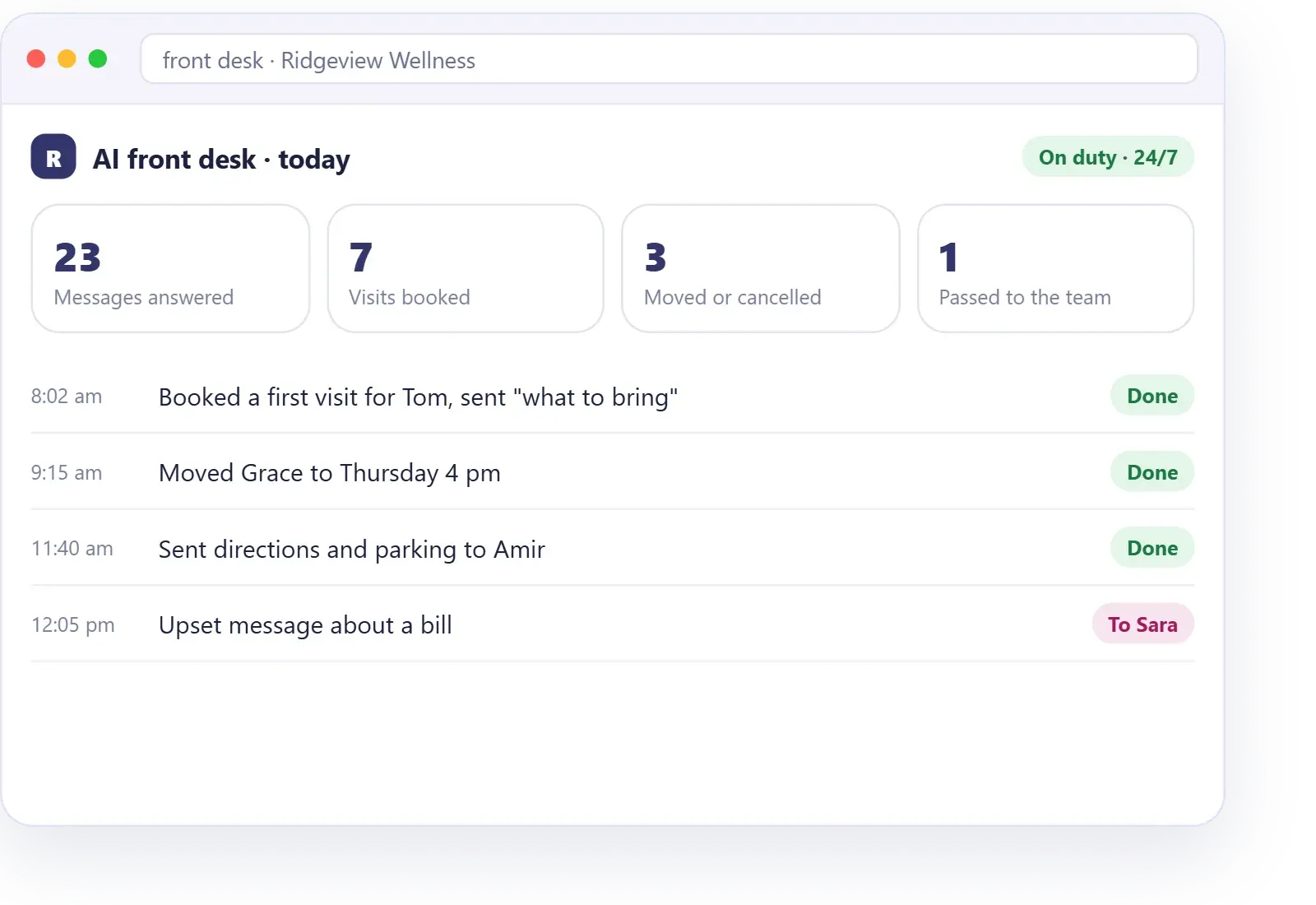
Answers chat, texts and messages. Books, moves and cancels appointments, takes messages, sends directions and "what to bring" notes, and routes each request to the right person.
Stays with a person: upset clients, exceptions, anything urgent.
02 — Sales
Sales assistant
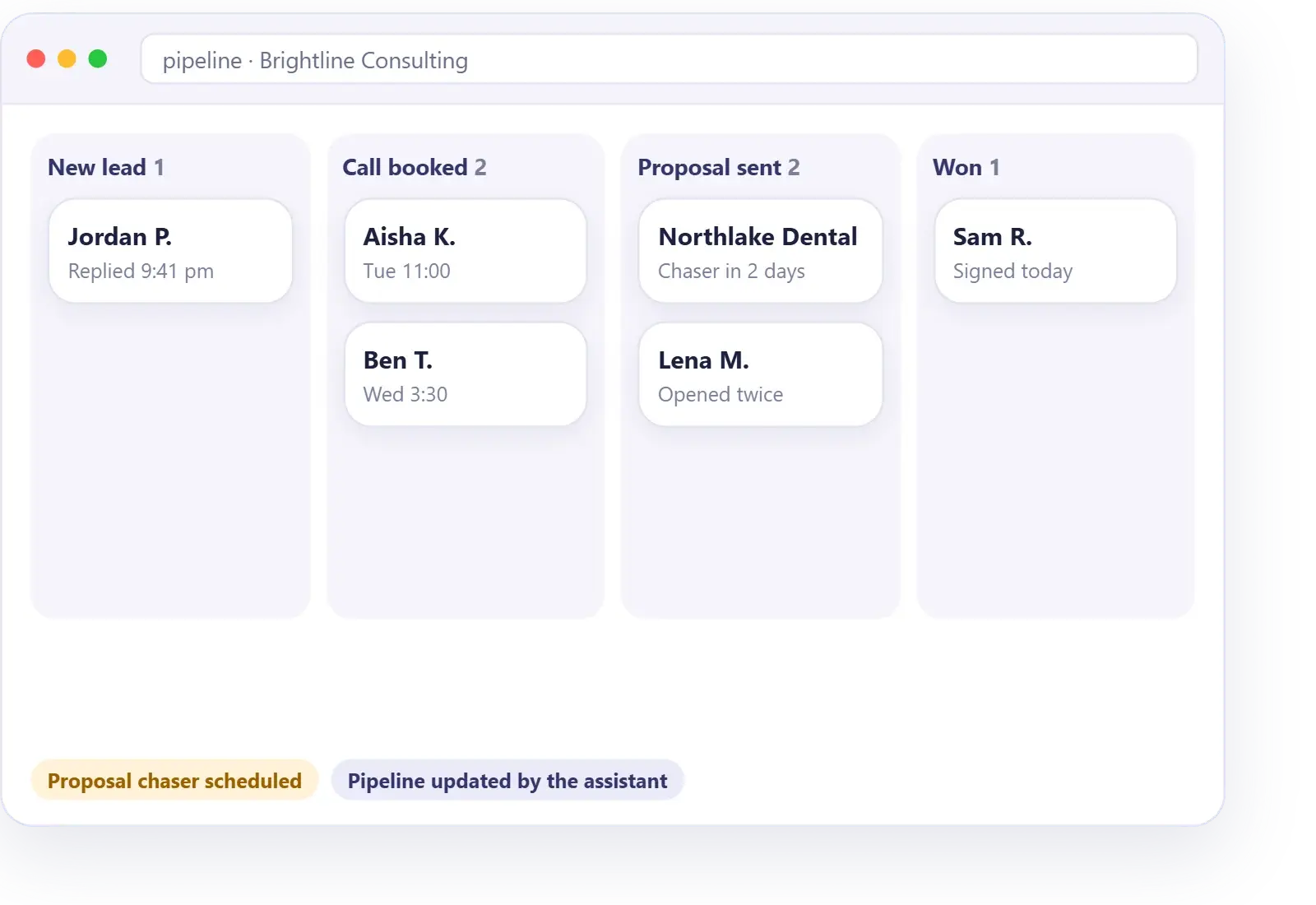
Replies to new leads, asks your qualifying questions, books calls, chases proposals that haven't been signed and keeps your pipeline up to date.
Stays with a person: the sales conversation itself, discounts and pricing exceptions.
03 — Admin
Admin and scheduling
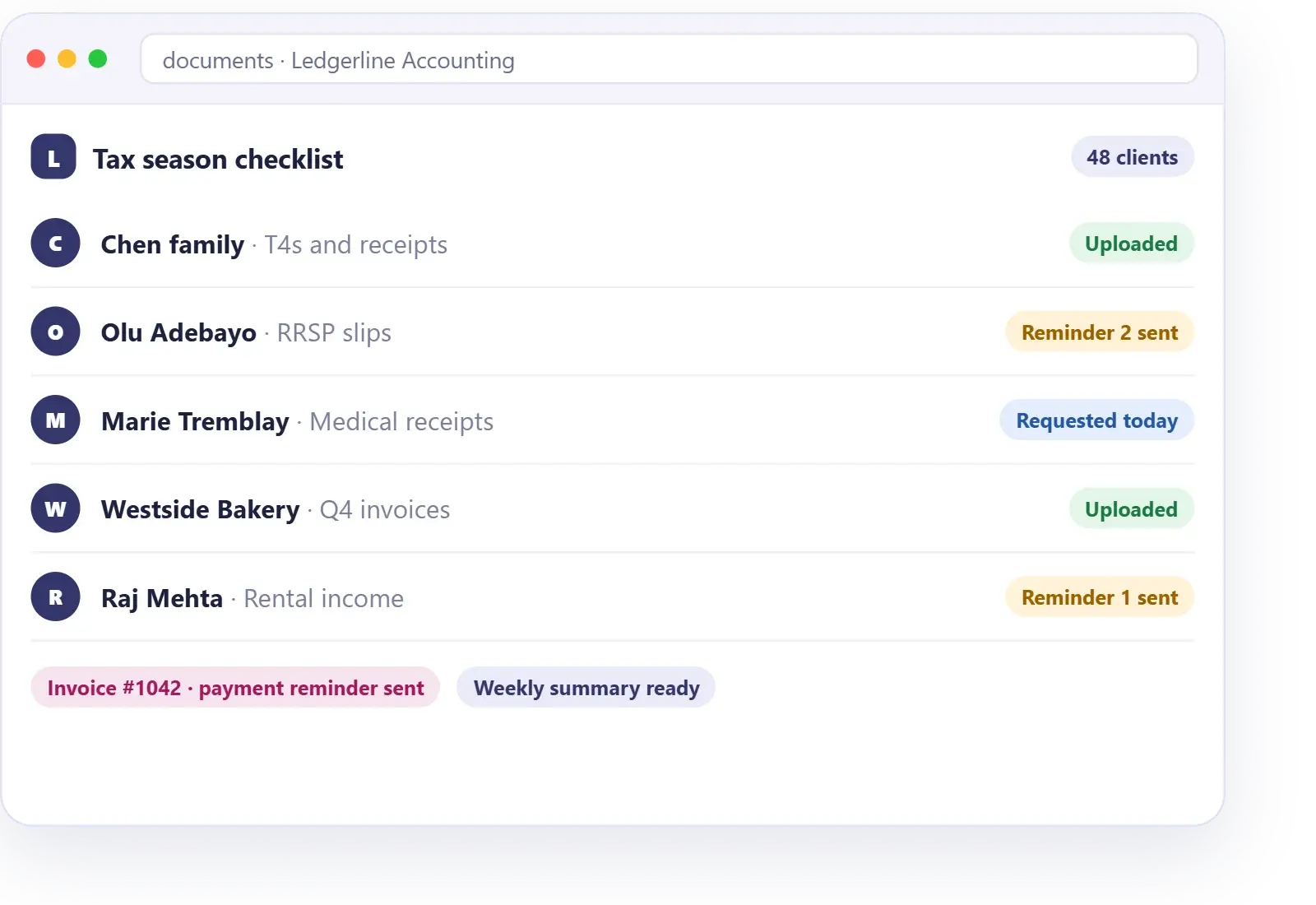
Keeps the calendar tidy, sends reminders, requests and chases documents, sends invoices and payment reminders, updates records and pulls a weekly summary.
Stays with a person: approving refunds, write-offs and anything else that changes money.
04 — Onboarding
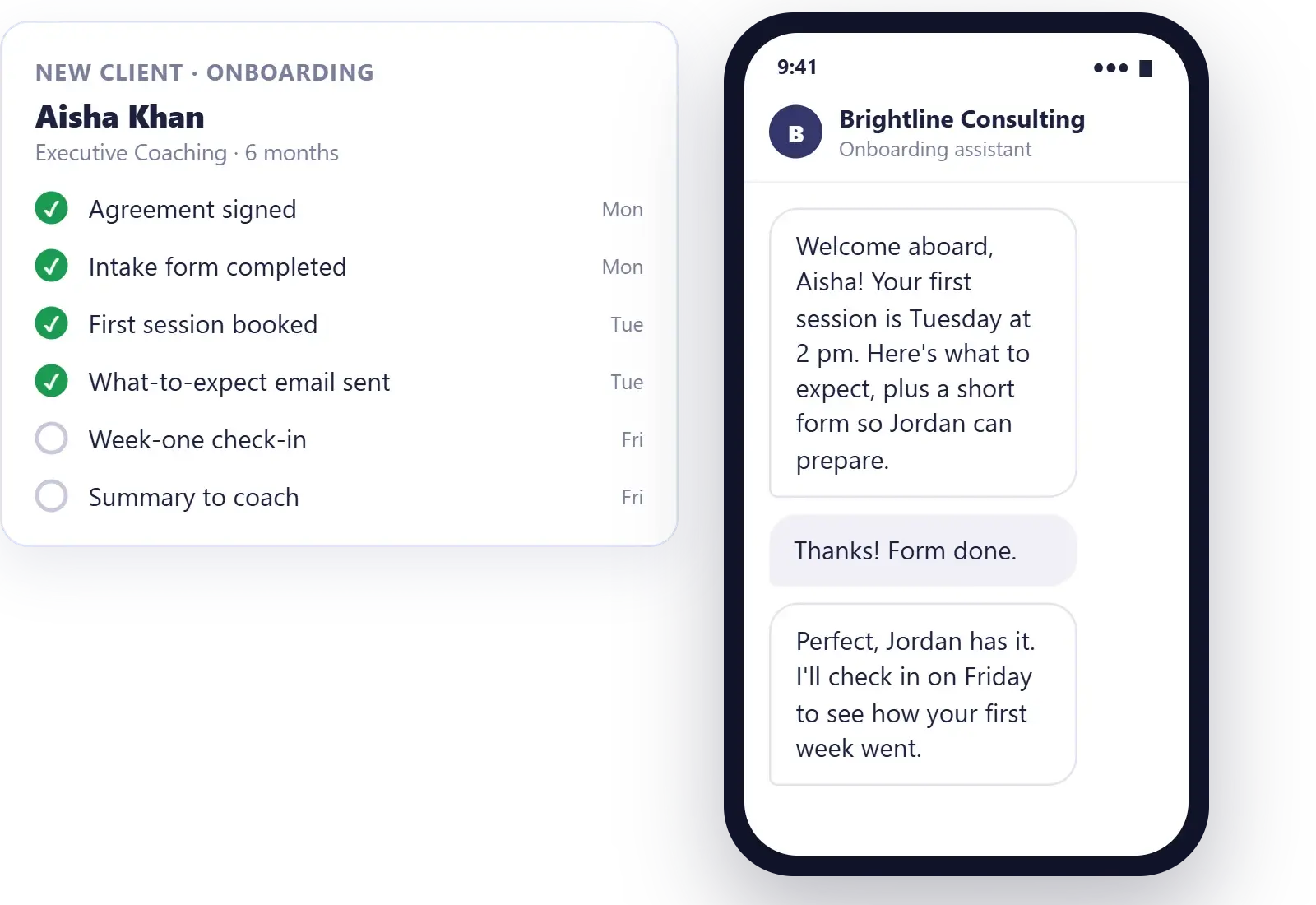
Client onboarding
Sends the agreement and intake forms, books the first session, explains what to expect, checks in during the first week, and hands a short summary to whoever will do the work.
Stays with a person: the welcome call and the work itself.
04 — Where people stay
What it can't do, and where a person stays in charge.
What it does well
Repeat tasks, evenings and weekends, the same answer every time, and follow-ups that are never forgotten.
What it can't do
It can't make judgment calls or bend a rule for a good reason. It can't handle an upset or sensitive conversation the way a person can, or give legal, financial or medical advice. And it can't learn a new policy on its own: it knows what you have told it, so when your prices or services change, someone updates it.
How we keep a person in the loop
Every AI employee we set up has four safeguards.
- Approval steps. Anything that changes money or a commitment, such as a refund or a proposal, waits for a person to approve it.
- Clean handover. When it passes something on, your team gets the full history, so the client never repeats themselves.
- A named owner. One person on your team owns the AI employee and sees what it does.
- Regular reviews. We read its conversations with you and tighten its answers.
05 — How it works
How we set up an AI employee.
One role at a time, written down first, checked by a person until it has proved itself.
Free · No obligation
Pick
Pick the role
We choose the role with the most routine work and list every task it does in a normal week.
Describe
Write the job description
The tasks it owns, its hours, its rules, what it may decide alone, what it must hand over and who it reports to.
Build
Build and connect
We build the agents and automations behind it on UltraScale Systems, or connect them to the tools you already use: your calendar, your inbox and your records.
Check
Run side by side
At first, a person checks its work before it goes out. As it proves itself, it does more on its own.
Grow
Review and grow
We review it with you, fix what isn't right, and add tasks when you are ready.
06 — Cost
What does an AI employee cost?
Every AI employee is quoted after a free call, so you know the full price before we start.
Free · 30 minutes · No obligation
What changes the price
- A
How many tasks the role includes
- B
The hours and channels it covers
- C
How many tools it connects to
- D
How many approval steps it needs
- E
Message and AI usage
We'll compare it honestly with what the role costs you today in hours. If a part-time person would serve you better, we'll say so.
Every package comes with our promise: better conversions, guaranteed.
See all packages and prices07 — Before and after
Before and after an AI employee.
We score your website with the MAGNET Test™ before and after, and track hours handed back and how fast requests get a reply.
Before
- Your coordinator answers the phone, the inbox and the door
- Forms and documents chased by hand, often late
- Evenings and weekends go unanswered
- How things are done lives in one person's head
After
- Routine questions and bookings are handled; she spends her day with clients
- Requested, reminded and filed on schedule
- Covered around the clock, with urgent issues passed to whoever is on call
- Written down in a job description and done the same way every time
Imagine an accounting firm in tax season. Its AI front desk books client meetings, sends each client the document checklist, reminds those who haven't uploaded and answers routine questions, while the accountants do the accounting.
08 — Who we do this for
AI employees for the businesses we know best.
Automation that real businesses rely on, from a team that has built more than 100 AI-powered apps.
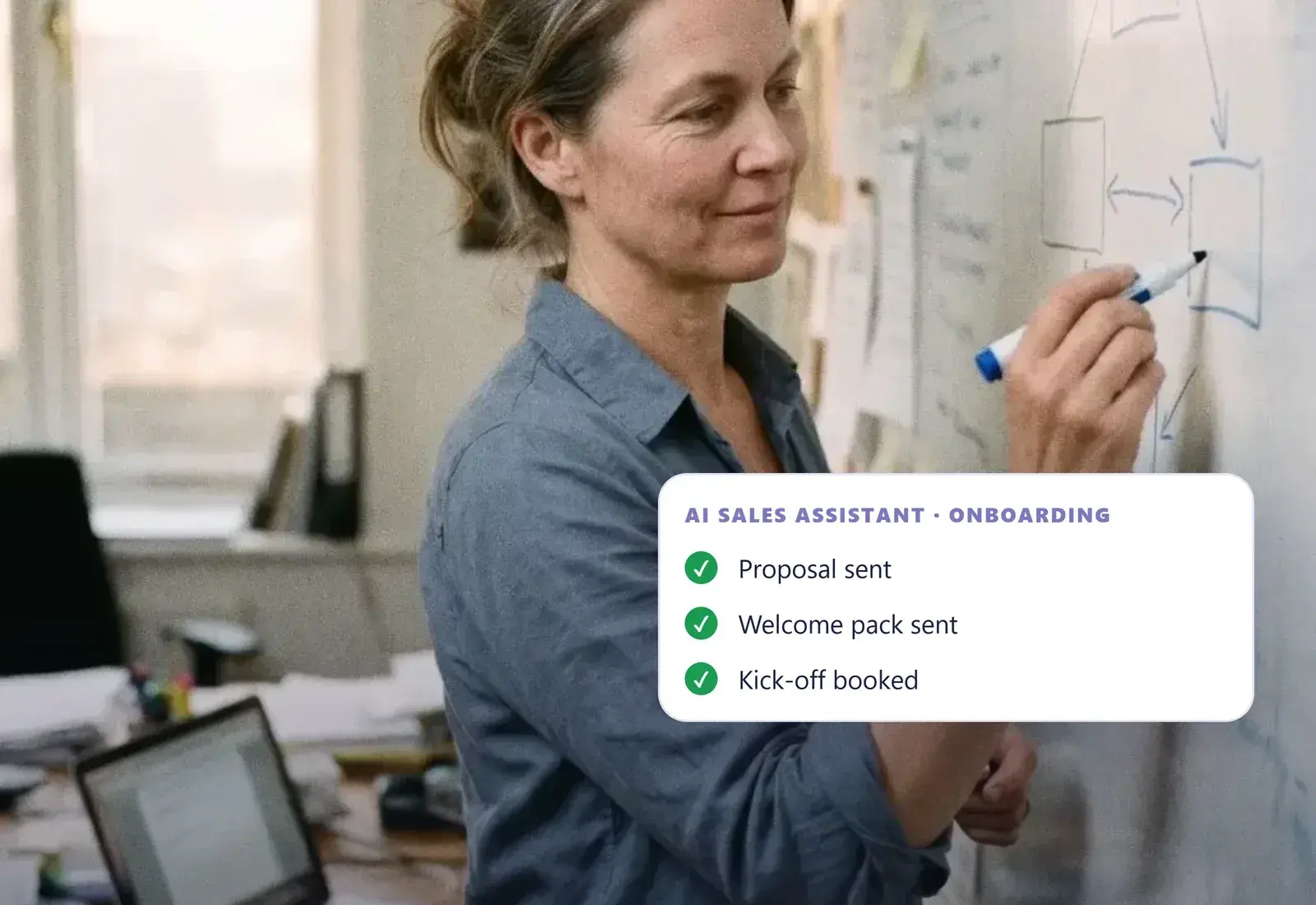
Coaches & consultants
An AI sales assistant and onboarding role, so you serve more clients without an assistant for every step.
For coaches & consultants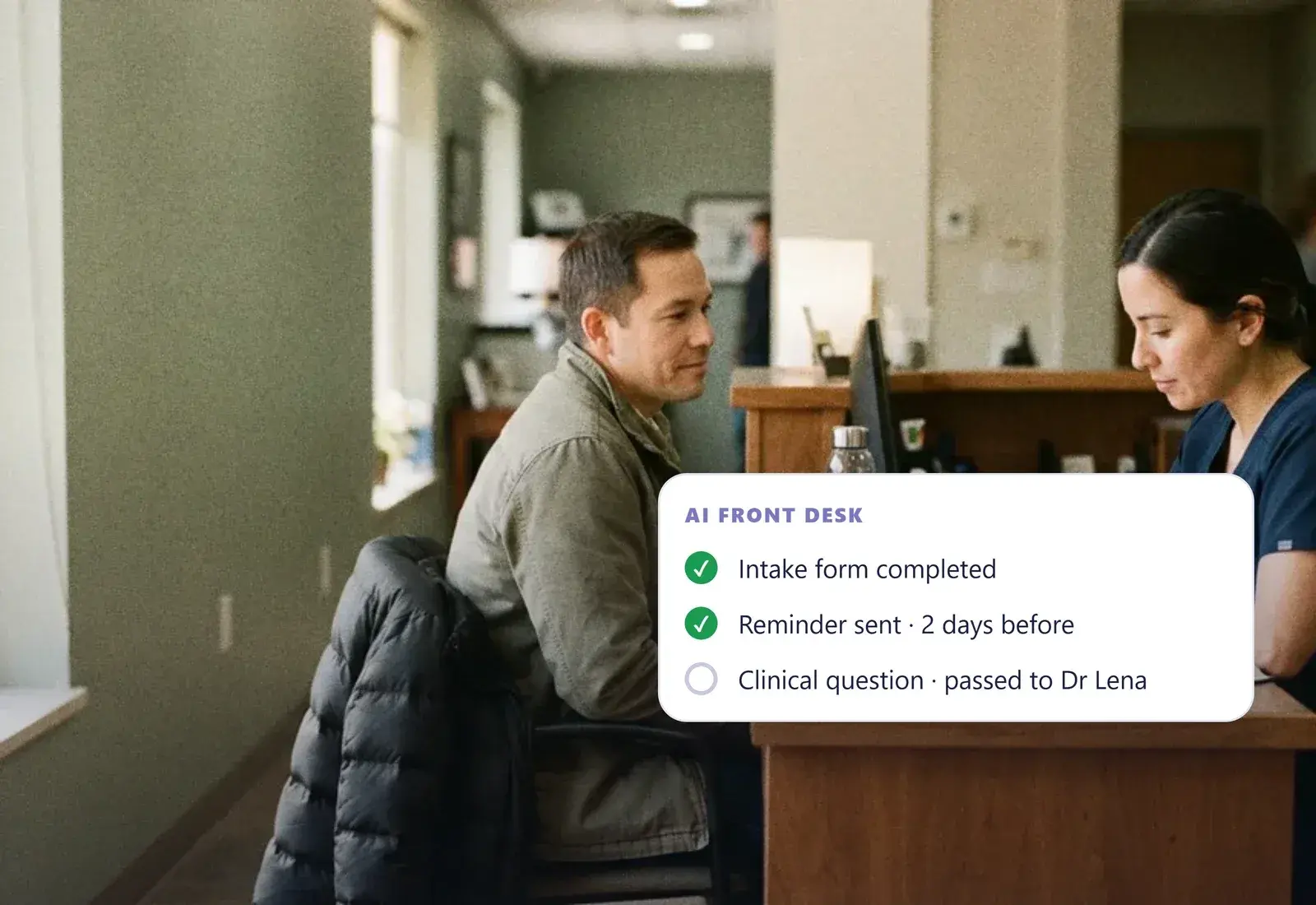
Health & wellness practices
An AI front desk for booking, intake forms and reminders, with anything clinical always passed to your team.
For health & wellness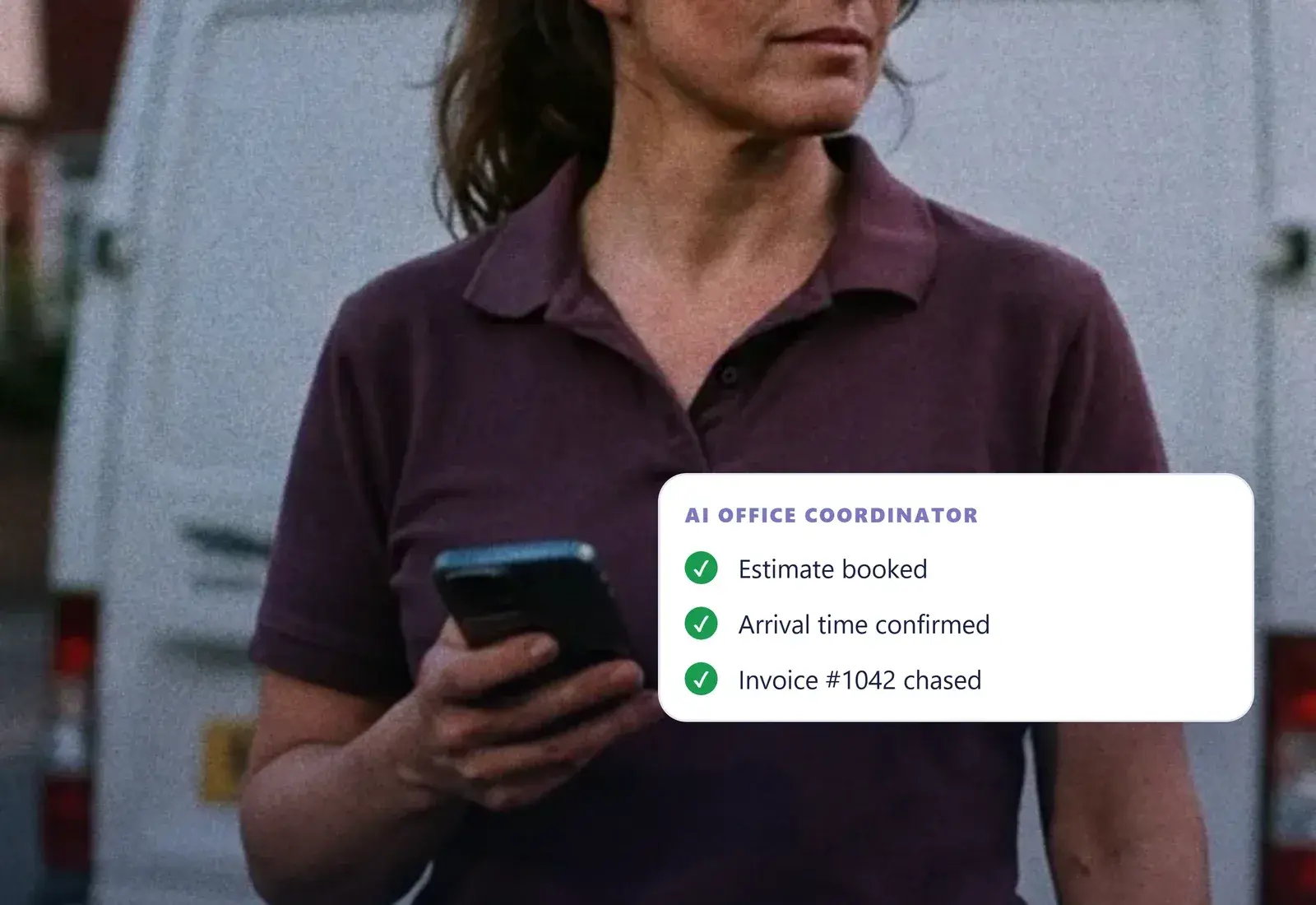
Local service businesses
An AI office coordinator that books estimates, confirms arrival times and chases invoices while the crew is on site.
For local services“They not only designed a website that everyone loves, but also helped to create an automated system around my coaching business.”
- 100+ AI-powered apps built
- 600+ businesses served
- 50+ countries
- 10+ years
- 4.9★ on Google
Can an AI employee replace my receptionist?
It can take over most routine reception work: answering messages, booking, rescheduling, reminders and taking messages, at any hour. It can't replace the warmth and judgment a good receptionist brings to an upset client or an unusual request. Most businesses keep their person and let the AI cover the repeats, the overflow and the hours nobody is in.
Which role should I hand to AI first?
Start with the role that has the most repeat work and the least judgment. For most service businesses that is the front desk or scheduling, because the same questions and bookings come in all day. For coaches and consultants it is often the sales assistant role: replying to leads, booking calls and chasing proposals.
Who manages an AI employee?
One named person on your team, usually whoever did the role before or manages it now. They see its conversations, approve anything that needs approval, and tell us when something should change. It takes far less of their time than doing the work by hand, but it is never left running with nobody watching.
How does it hand work to my team?
When a request needs a person, it passes it on with the full history and tells the client what happens next. Your team is told by text, email or the shared inbox, whichever you choose. You decide the handover rules in advance, such as complaints, refunds, urgent issues and anything it hasn't been taught.
Is an AI employee cheaper than hiring?
Usually, for the routine part of a role, because it works every hour without overtime. But it doesn't do everything a person does, so the fair comparison is with the hours of repeat work you hand over. On a free call we compare the two honestly, and if a part-time hire would serve you better, we will tell you.
How do you keep it accurate when my prices or services change?
It only knows what it has been given, so its answers live in one place your team can update: prices, services, policies and hours. When something changes, you update it there or tell us and we do it. We also read its conversations with you and fix any answer that is out of date.
How do I introduce it to my team?
As help, not a replacement. Ask the people who do the role today which tasks they would happily give away, and start there. They write the rules with us, check its work in the first weeks and decide when it takes on more. Teams that shape it tend to trust it.
Are "AI employees" just marketing hype?
The name oversells it; the work is real. Underneath, an AI employee is a group of agents and automations set up to cover one role's routine tasks. It doesn't think like a person, so we never sell it as one. What it does do is take repeat work off your people reliably, at any hour.
10 — Get started
Which role is eating most of your team's week?
Bring us one role. On a free call we'll list its tasks, show what AI can cover and what stays with your team, and tell you honestly whether it is worth it.
Free · 30 minutes · No obligation